

Productivity Hack for Writers
Use Styles in Microsoft Word to Organize your Content


If you don’t have any content, write some. Lots and lots of stuff. Not just “Here’s how my day went” kind of journaling, but descriptions of people and settings, brainstorms, lists, random ideas, etc. No critiquing, just let ‘it flow.
As Summer Brennan says, “First drafts are innocent; no judgement.” Brilliant!
Periodically read through your writing and add headers using the styles pane in Microsoft Word. (sorry Pages and Scrivener users). Use a new line. Try to use all four headers in descending order of importance; they will create an outline. I have a Mac so your screen may look different.
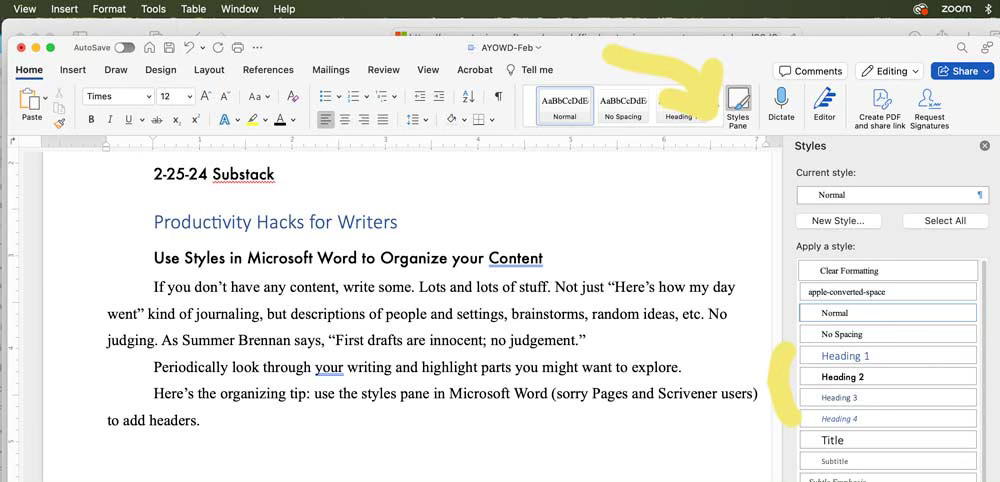
It’s fairly easy (considering it’s MS Word) to customize or create new styles.
Add an Index
Once you’ve added headers you can add a table of contents which will allow you to click right to any entry.
Place your cursor at the top of your document, or wherever you want the TOC.
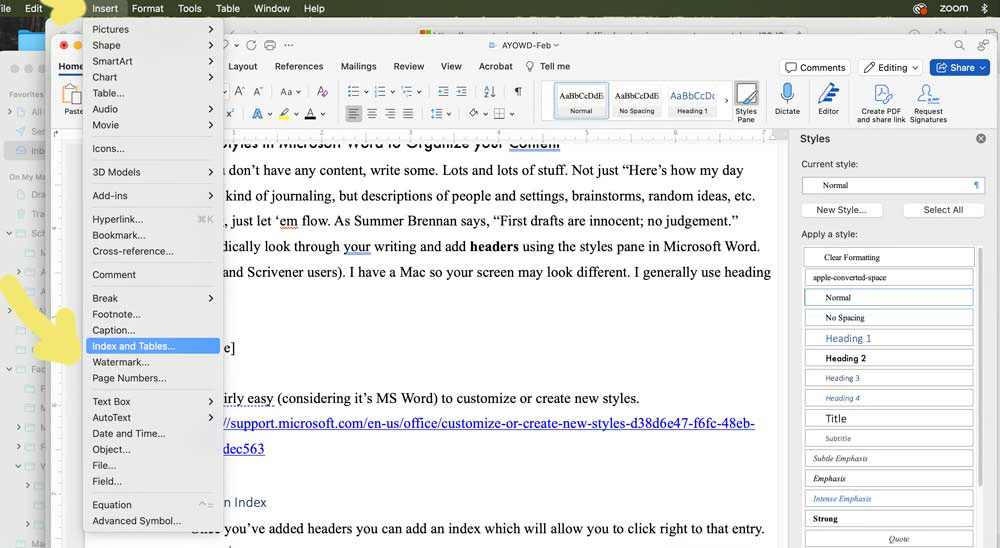
At the very top of the program, go to insert→ index and tables
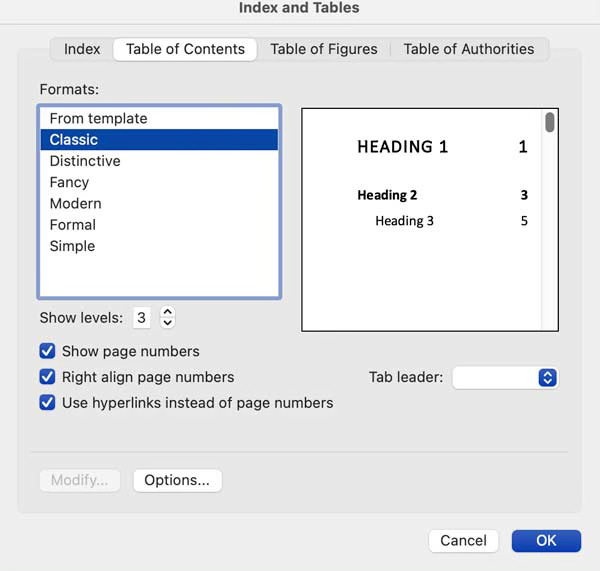
“Index and Tables” box will pop up. Click on “table of contents” and pick your favorite format. I like “Classic.”
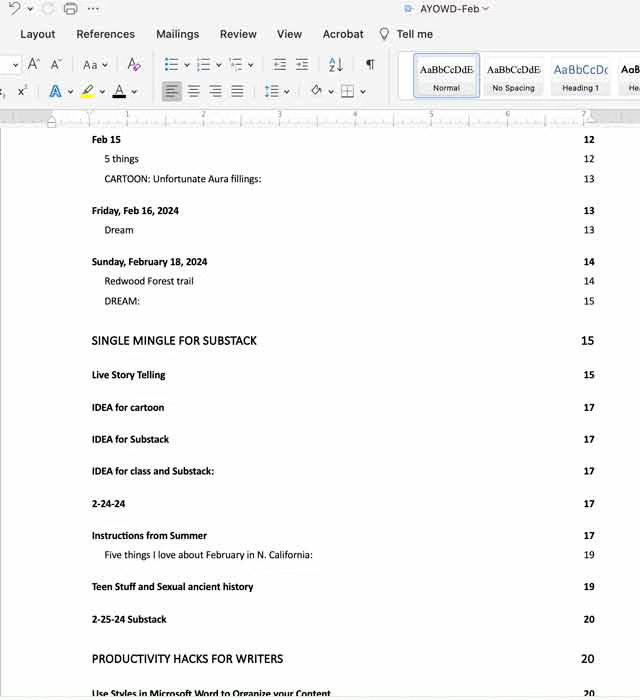
Click okay. If you did a good job adding headers you’ll have an overview of your writing, with direct links to particular topics. Click on the header to go right to that entry.
I hope that’s helpful!
Do you have any productivity tips for me? I’d love to hear them.